FaxTalk FaxCenter Pro
If you’re looking for Microsoft Windows Fax Software, FaxTalk FaxCenter Pro from Thought Communications is your number one choice.
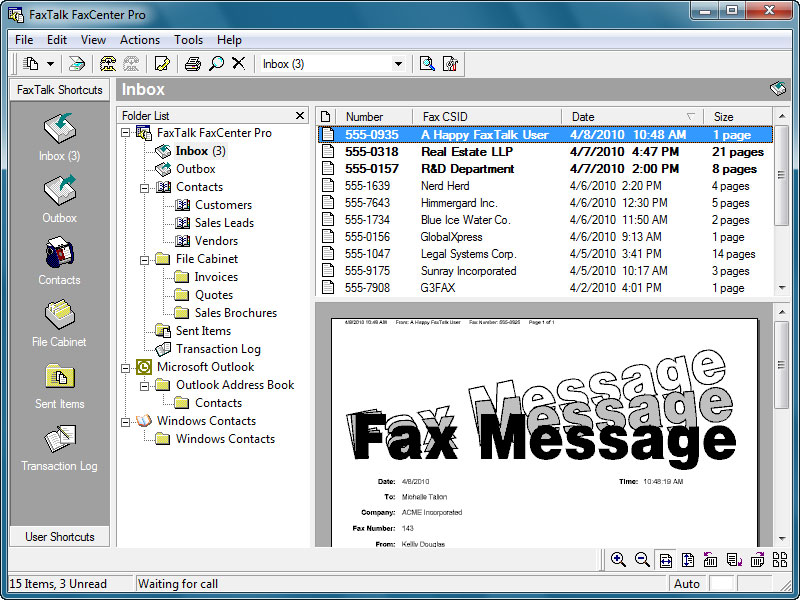
FaxTalk FaxCenter Pro fax software can save you time and money. FaxTalk allows you to choose how you send and receive your faxes. Use your existing traditional telephone line with a fax modem or use a T.38 fax service provider eliminating the need of any additional telephone lines, wiring and fax hardware. Improve efficiency and productivity without you spending a fortune for Windows fax software. Eliminate the need of a traditional fax machine or expensive internet fax service and send and receive faxes in real time, directly from your computer. FaxTalk FaxCenter Pro provides you a centralized location to store and manage your faxes on your local machine. You can send, receive, fax blast, view, print, annotate, organize, manage contacts and phone books and much more.
How does FaxTalk work?
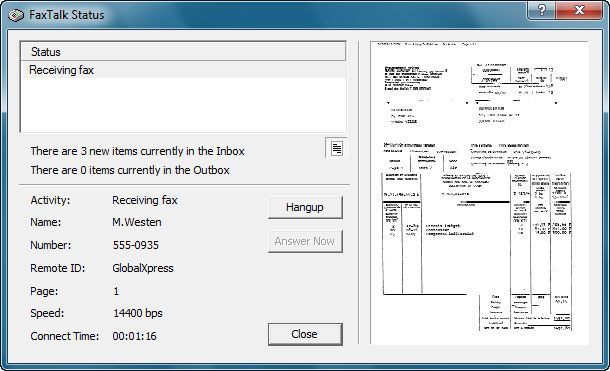
FaxTalk FaxCenter Pro gives you the choice to use a fax modem connected to a land-based traditional telephone line, a digital broadband telephone service, or a dedicated T.38 internet fax service from a third-party service provider. Faxes are sent and received in real-time, just like a traditional fax machine but without the ink and paper waste.
| Feature | Details |
|---|---|
| Send and receive faxes from your computer | Yes |
| Direct faxing from Windows applications | Yes, supports all Windows applications that have an option to print. |
| Operating System Compatibility | Windows 11, Windows 10, Windows 8.x, Windows 7, Windows Server |
| Automatic fax forwarding via email | Yes |
| Local storage of phonebooks/contacts | Yes |
| Automatic saving of faxes | Saves as PDF or TIFF image format |
| Supported Fax Technology | T.38 Internet Fax, fax modem |
| Software Purchase | One-time purchase, not a subscription service. |
Use a fax modem and connect the telephone line.
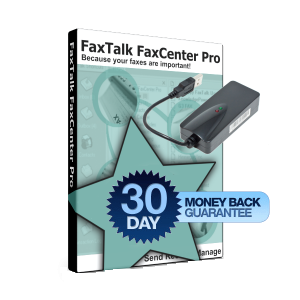
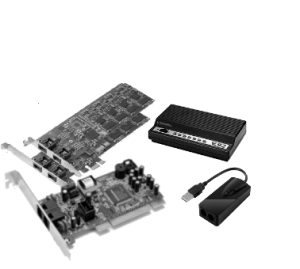
A fax modem is a simple hardware device that plugs into your computer and connects to your existing telephone line. You can bundle an easy to install USB fax modem with any FaxTalk software purchase or use your existing fax modem from your old, outdated fax software. You can use a traditional standard land-line telephone service, digital cable telephone service, or many internet based VoIP services.
No modem hardware or landline required with a T.38 fax service.
Don’t have a landline? FaxTalk is compatible with T.38 internet fax service providers. You can send and receive faxes in real time without the need of a telephone line, telephone wiring and fax modem hardware. T.38 is a direct connection between FaxTalk and the receiving or sending fax device, as with a legacy telephone line. Just enter your specific T.38 fax account details provided to you from your service provider into the FaxTalk connection setup and start sending and receiving faxes in real time. Don’t know about T.38? We can send you our recommended provider and a free trial!
Setup the FaxTalk software
FaxTalk is loaded with advanced features. If you use a traditional phone line, you can set FaxTalk to automatically answer calls or route calls based on your distinctive ring service. An install wizard helps you though setting up the basic features with ease. You can also configure FaxTalk with many additional options such as e-mail forwarding, distinctive ring, automatic printing, notifications etc.
With FaxTalk FaxCenter Pro you can..
Send and receive Faxes
Send and receive unlimited faxes in real-time. Send individual faxes or group fax blasts.
Save Money
No monthly fax service fees when you use a fax modem and your existing telephone line. No per page fees. No hidden charges. Stop spending money on document storage fees, fax paper and toner.
Choose your connection
Use a land-based telephone line or VoIP land-line with a fax modem, or use a T.38 fax service provider.
Log incoming and outgoing faxes
Keep a transaction log of incoming and outgoing faxes. Caller ID supported.
Annotate and edit your faxes
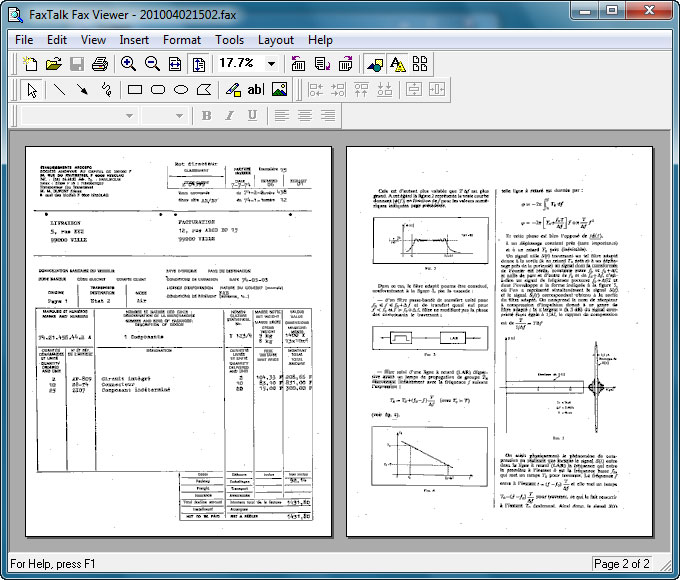
Edit and annotate your faxes using the included Fax Viewer, add a signature or stamp.
E-mail forwarding of faxes and voice mail
Automatic forwarding of your incoming faxes and voice mail to any e-mail address in PDF format.
Save received faxes to Cloud Storage
View faxes and listen to your voice mail from DropBox, Google Drive, OneDrive and other Cloud services.
Transfer WinFax PRO phone books
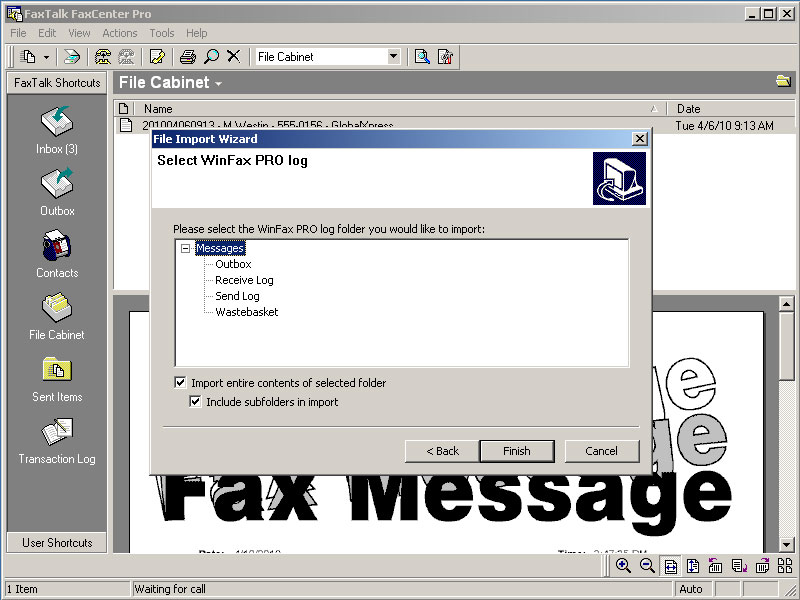
Import your existing WinFax PRO or TalkWorks PRO phone books to FaxTalk. Don’t lose your existing fax numbers.
Schedule your faxes
Flexible scheduling options to send your faxes when you want to.
Creating faxes is as easy as printing
Fax from any Windows Application
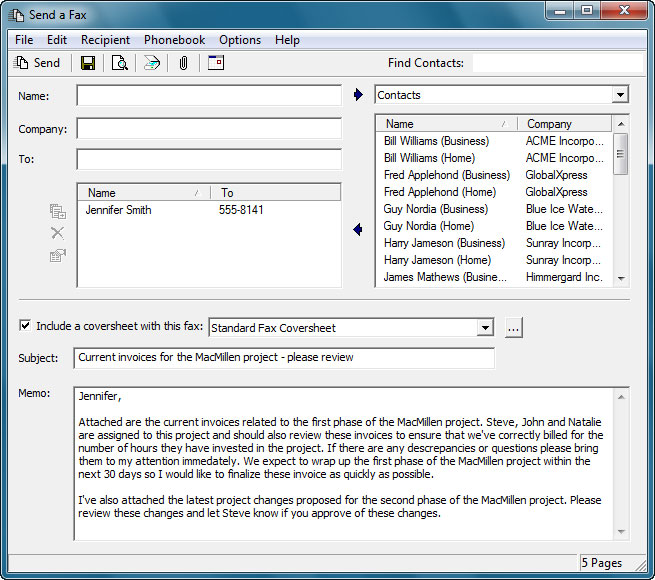
Sending a fax from FaxTalk is quick and easy. FaxTalk works with any Microsoft Windows compatible desktop application that has a “print” function. Produce professional looking faxes by simply printing your documents to the FaxTalk virtual fax printer.
Attach documents from other applications
Combine multiple documents from various programs into a single fax. Attach almost any type of document formats including Microsoft Word and Adobe PDF. A compatible Microsoft Windows scanner or a multi-function printer/scanner can also be used to create fax images from printed documents or to add pages to an existing fax.
Receive faxes direct to your desktop
Manage, review, print received faxes
FaxTalk saves your toner, ink and paper by allowing to review your faxes on screen before they are printed. You can also set FaxTalk to automatically print faxes as they are received.
Block junk faxes
To help avoid junk or spam faxes, FaxTalk includes a junk fax filtering feature that can block the reception of faxes from unwanted recipients.
Automatically forward faxes via email
All incoming faxes can be automatically forwarded to an email address or another fax number. When forwarding via e-mail, the software includes the fax sender details and a copy of the entire fax in easy to view Adobe PDF or TIFF image format.
Phone books and custom cover sheets
Powerful phone book, group sending capabilities
Use the multiple phone book support to categorize contacts. Combine contacts within a phone book into groups that speed up multiple recipient selection. Import contacts from comma separated (CSV) files or access contacts directly from Microsoft Outlook (32 bit versions only) without the need to import.
Design custom cover sheets
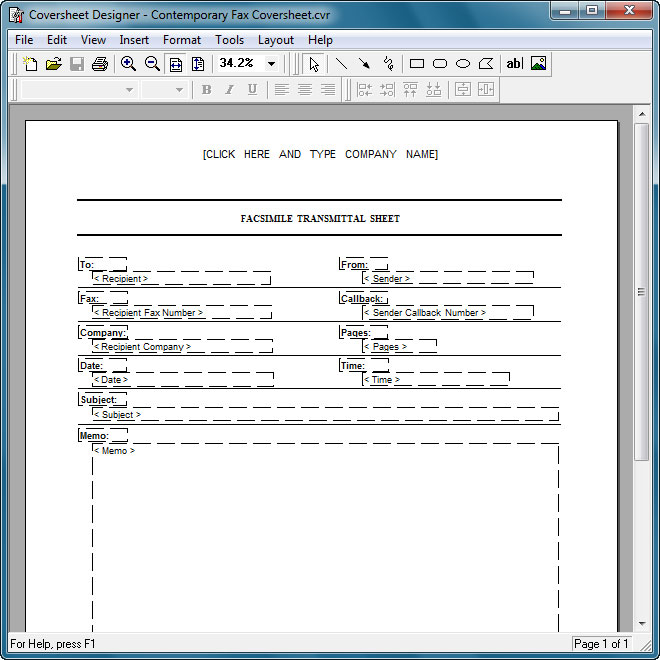
Custom cover sheets can be designed using the included Cover sheet Designer. With the Cover sheet Designer you can add text, graphics, objects, company logos and defined fax information to create a completely unique cover sheet template that you can then use when sending faxes to your customers or clients.
A perfect replacement for WinFax PRO
FaxTalk software makes it easy for you to transition from WinFax PRO to FaxTalk.
Similar interface to WinFax PRO and TalkWorks PRO
Many of the standard fax operations you perform in WinFax PRO are also performed in the same manner with FaxTalk software, so you spend less time having to re-learn how to use your new fax software.
Import existing WinFax PRO data
No one likes to lose valuable data and spending hours re-entering phone books. FaxTalk includes import capabilities so you can import existing WinFax PRO phonebooks and WinFax PRO log files from a working installation of WinFax PRO. For more details on how the import process works, click here.
Recover WinFax PRO data
Do you have a non-working WinFax PRO system? We can help recover your installation so you can extract your data and export your phone books and/or logs. Contact us for rates.
FaxTalk is expandable
Fax Sharing with FaxTalk Multiline Server
FaxTalk FaxCenter Pro can be configured on a workstation as a fax client to submit and receive faxes over your local network. Fax enable additional workstations without requiring additional fax modems and telephone lines.
FaxTalk Application Programmers Interface (API)
With the FaxTalk API, developers can add faxing capabilities to custom applications. The FaxTalk API, documentation and sample programming code in C# is included with your FaxTalk purchase.
Enhance the capabilities of FaxTalk with optional third party applications
When used with optional add-on software you can enhance the functionality of the FaxTalk software. Fax directly from Sage ACT! with FaxAdmin software, or use the mail merge capabilities of Microsoft Word with the FaxTalk Fax Merge Add-on.
Use with any standard fax modem
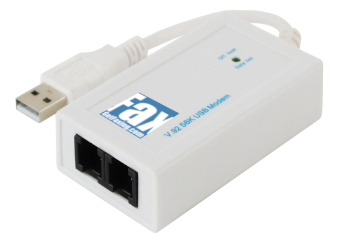
Fax Modem
A fax modem is a simple device that plugs to into your computer and connects to your telephone line. If you don’t have a fax modem, you can bundle an easy to install USB fax modem with any FaxTalk software purchase.
Compatibility
FaxTalk software is compatible with most standard USB, internal, external and multi-line fax modems. If you’re switching from WinFax PRO or other fax software, your existing fax modem may also work with FaxTalk. Contact us for more details.
Distinctive Ring and Caller ID ready
FaxTalk is compatible with the Distinctive Ring and Caller ID services from your telephone company. Route calls based on ring type patterns and also log Caller ID information. Compatible fax modem and telephone service subscription required.
Choose a T.38 fax service provider
Don’t have a phone line, or don’t want to install additional fax hardware on your computer? FaxTalk is compatible with the industry standard T.38 fax protocol, so you can send and receive faxes in real time without the need any of additional fax hardware, physical phone lines or wiring. You can subscribe to a monthly low-cost T.38 fax service from a third-party service providers of your choice.
Easy one-click faxing from Microsoft Word
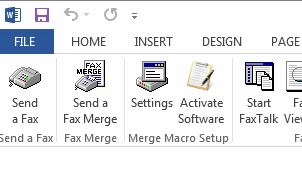
Quick and easy faxing from Microsoft Word
With the optional FaxTalk Fax Merge for Microsoft Word add-on, you can have quick and easy faxing directly from Microsoft Word. Add icons to your Microsoft Word toolbar and link directly to the Microsoft Word Mail Merge feature so you can broadcast personalized mail merge faxes with ease. Watch the Fax Merge in action here: FaxTalk Fax Merge Video
Personalized Broadcast Faxing
Design your fax document in Microsoft Word, insert unlimited mail merge fields, select your recipients from your Microsoft Office database source and click send. The FaxTalk Fax Merge add-on individually prepares each personalized fax, and automatically faxes them for you.
FaxTalk FaxCenter Pro Screenshots
More Info
Compatible with Microsoft Windows
FaxTalk works with Microsoft Windows 11, Microsoft Windows 10, Microsoft Windows 8.x, Microsoft Windows 7, Microsoft Windows 2019/2016/2012 Server.
Help & Support
Includes program help and a user manual in PDF format, plus 180 days of professional technical support from GetFaxing.com and Thought Communications.
Digital Download and CD ROM Backup
Your purchased software is distributed as a digital download. Optional backup CD ROM delivery for FaxTalk FaxCenter Pro is also available.