WinFax PRO and Windows 11, Windows 10, Windows 8, Windows 7, Vista

What happened to WinFax PRO?
The first and original version of WinFax was developed in 1990 by the Canadian software company, Delrina. The company was eventually purchased by Symantec in 1995. The final version of WinFax PRO to be developed was version 10 in the year 2000. Symantec continued to sell WinFax PRO 10 for the next 5 years until it was eventually discontinued in June 2006.
Where can I get technical support or help with WinFax PRO?
Symantec no longer provides any assistance for WinFax PRO software. Technical documents have also been removed from their web site. GetFaxing.com continues to provide some documents and information on its community forums. In 2019, Symantec was restructured and the company sold off its enterprise software security division to Broadcom. The consumer software division was renamed to a new company NortonLifeLock.
Where can I buy WinFax PRO?
WinFax PRO is no longer sold as at the retail level. There are some dealers or private vendors that may have new old stock (NOS) of WinFax PRO. eBay is a common source to purchase NOS WinFax PRO software. Beware if you purchase a WinFax CD-ROM without a manual or original box. There were many counterfeit CD-ROMs produced and sold illegally. It is also not recommended to use a downloaded torrent or other illegal installation of WinFax PRO as the software may include spyware/malware/viruses.
Is there a WinFax PRO upgrade available for Microsoft Windows 11, 10, 8, 7 or Vista?
No upgrade or patch exists for WinFax PRO for compatibility with newer operating systems. WinFax PRO was discontinued by Symantec in 2006, just prior to the official release of Microsoft Vista.
Can WinFax PRO work with Microsoft Windows 11, 10, 8 or 7?
No, any Microsoft Windows operating system developed after Windows XP is not compatible with WinFax PRO. Microsoft Windows 11, 10, 8, 7, Vista is not compatible with WinFax PRO due to some of the changes made to the operating system. The ‘WinFax’ printer driver will not install on newer operating systems.
Can I install WinFax PRO with Windows 11, 10, 8, 7, Vista to have access to my phone books and fax data for later retrieval, printing and viewing?
Yes, it is possible but there are several options in WinFax that can generate errors when operating under these operating systems.
Does WinFax PRO with with Microsoft Windows 7 and Windows XP Mode?
Our initial testing confirms that you can run WinFax PRO in Windows XP mode, but you cannot “share” the WinFax PRO printer driver with Windows 7 applications. We successfully shared the fax modem, (and it was a software based modem) but not the fax printer. This prevents any access from Windows 7 programs to the WinFax printer. Only the applications that are installed within the Windows XP Virtual machine can be used with WinFax to send faxes, you cannot create faxes from within Windows 7 applications. This limits the usability of WinFax in Windows 7. if you require to fax from a Windows 7 application, it will not work. Although, having Windows XP within your Windows 7 operating system saves you the expensive of having another separate computer just to run legacy Windows XP applications such as WinFax. Using WinFax in a virtual machine is not recommended.
Windows XP Mode is a feature that is optional on Professional, Ultimate and Enterprise versions of Windows 7. Windows XP Mode is not available in the Home Premium or Starter Editions of Windows 7. At the time of release, Windows XP Mode option was available as a download at no additional charge with a qualified version of Windows 7 directly from Microsoft’s Web site.
Does WinFax PRO work in a virtual machine, such as Oracle’s VM Virtual Box?
Yes, just as Windows XP Mode in Windows 7, WinFax PRO will run properly with a properly configured virtual machine. However, the same restrictions apply as in Windows XP Mode. Only applications within the virtual box are accessible by WinFax PRO. WinFax PRO also requires some processing power to send and receive faxes, so if you are using a Virtual Machine you want to ensure your PC has the available memory and processing power to accomplish this task.
What can I use to replace WinFax PRO now that I am using a newer version of Microsoft Windows?
-
 FaxTalk FaxCenter Pro 10From: USD $59.94
 -
Product on sale
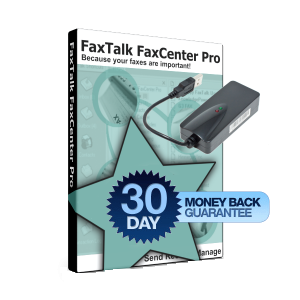 FaxTalk FaxCenter Pro 10 Bundle with Fax ModemFrom: Original price was: USD $229.84.USD $209.86Current price is: USD $209.86.
 -
 FaxTalk Messenger Pro 10From: USD $89.95
If you’ve replaced an older machine that already had an existing fax modem its likely you’ll also need to purchase and install a fax modem on the new computer. Most newer machines no longer include fax modems as an option and they must be purchased separately. Some older fax modems may not work with the newer Windows operating system. If you’re using a 64 bit operating system, you’ll need a fax modem that includes 64 bit drivers. If you have only one fax line and require an inexpensive fax modem, we provide a USB Fax Modem that is compatible with both 32 and 64 bit Operating systems for use with FaxTalk FaxCenter Pro, more details here.